Use your Massage Addict email and password to log in here:
Then in the top right , click on the "cog wheel",
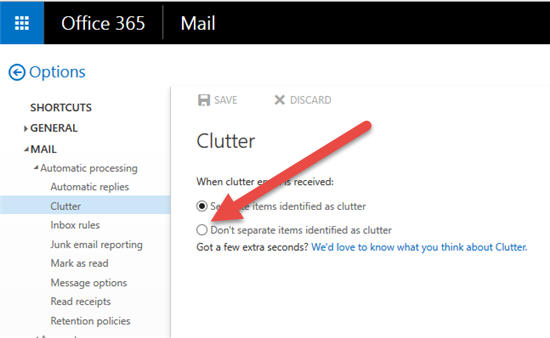
Options - MAIL - Clutter - then CHECK the "Don’t separate items identified as clutter"
You may also want to enable it first and then disable again if it is disabled already.
0 Comments